Last updated on May 13, 2026
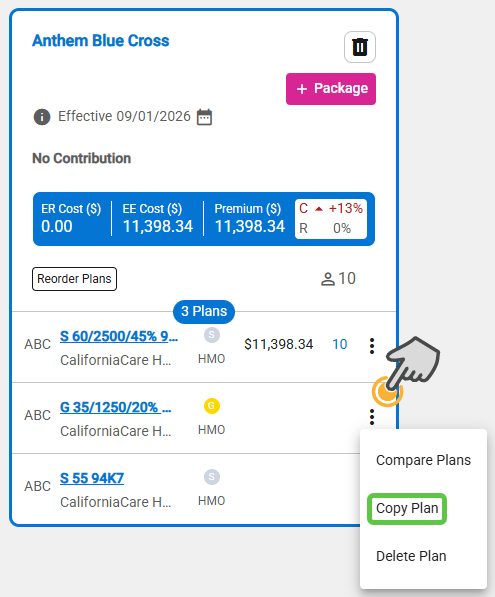
- Use Copy Plan to duplicate a plan in packages to balance and compare the plans across packages.
- Click the three dots icon in the plan row to copy, then select Copy Plan.
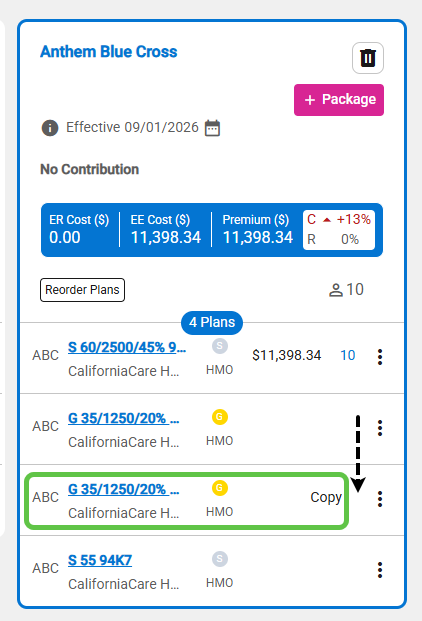
- The plan copy is added under the plan copied within the package. Use Reorder Plans to arrange them correctly. Note: The copied plan is not available for plan assignment and is used to align plans across the packages.
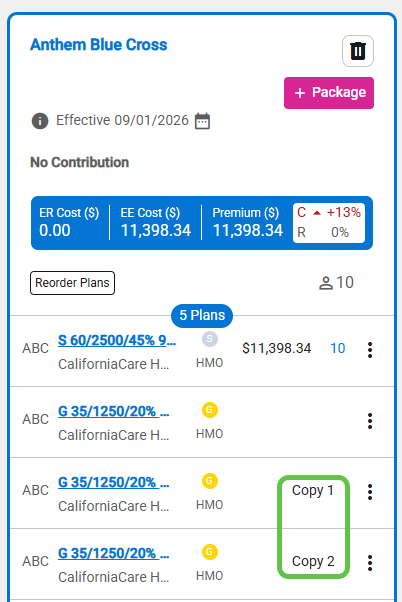
- Each copy of a plan has a sequence number if more than one copy of the plan.