Last updated on May 6, 2026
- The ‘Current’ and ‘Renewal’ checkboxes are selected by default.
- To create a renewal only, leave the checkbox selected, click Create Packages button and delete the current package once displayed.
- Uncheck the checkbox if not creating a current and renewal.
- Select the New Package checkbox and specify the number of packages to create by entering a number or using the plus/minus buttons to increase or decrease the number.
- Note: The total number of packages, including Current and Renewal, cannot exceed 20.
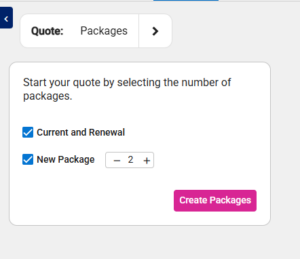
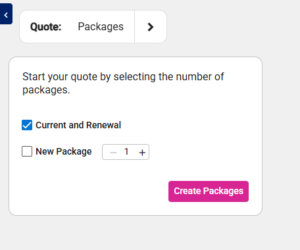
- Click the Create Packages button.
- The placeholder packages are shown with the following:
- Package Name (“C” Current, “R” Renewal, or New Package #)
- Lock Icon
- Delete Button
- + Package Button
- Package Effective Date
- Note: The Current Package Effective Date is set to the Quote Effective Date minus 1 year.
- No Contribution Text
- Cost Panel (ER Cost, EE Cost, and Premium, all set to 0.00)
- No Plan Selected Text
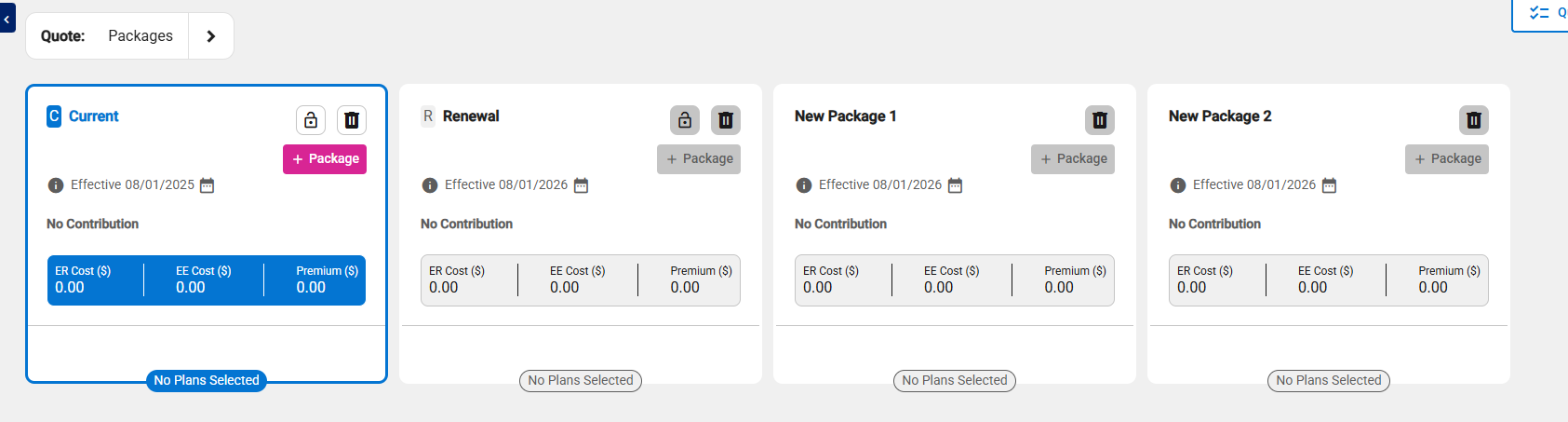
- The default focus is on the leftmost (1st) package, which is outlined in blue.
Note: When you leave the screen, any placeholder package (one without a selected carrier) is automatically removed.