Last updated on May 13, 2026
Certain scenarios trigger extra messages in the quote to guide your updates and output generation.
- When creating a new quote,
- If the quote does not include a package using the Quote Effective Date, create a renewal or comparable package with the same effective date as on the Quote Details.
- If the quote does not include a package using the Quote Effective Date, create a renewal or comparable package with the same effective date as on the Quote Details.
- When accessing an existing quote,
- You will receive a notification indicating that any modifications you make may affect previous selections.
- If the Quote Effective Date is unavailable due to Plan Maintenance, select a different effective date to update the quote.
- When a quote is marked as Final or Sold, it cannot be modified. However, the quote may be copied if needed.
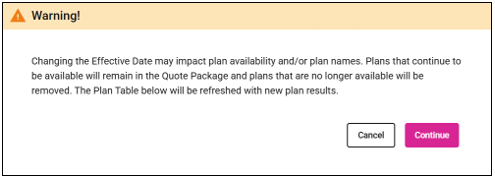
- If the Effective Date for a package is modified, a warning appears stating that this change could affect the plans. You can choose Cancel to undo the change or Continue to proceed, which may update the available plans for the package and alter the options shown in the Select Plan grid.
- You will receive a notification indicating that any modifications you make may affect previous selections.
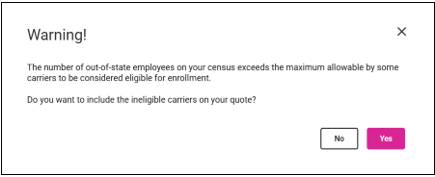
- If the census has more Out-of-State employees than permitted, choosing Yes on this message will let you select carriers that would normally be ineligible for the quote.
-
-
- A banner on the coverage page reminds you that the carrier(s) may not qualify for this quote.
-