Last updated on May 13, 2026
Adding Life coverage to a quote differs from Medical, Dental, and Vision.
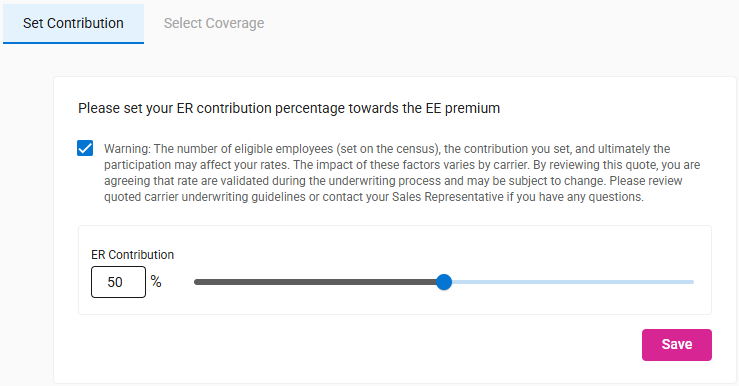
- When you choose the Life tab, the Set Contribution tab will appear.
- Warning box is unchecked.
- ER Contribution defaults to 100%.
- Save button is disabled.
- Tooltip shows on hover.
- Select Coverage tab is disabled, until the contribution is saved.
- Tooltip shows on hover.
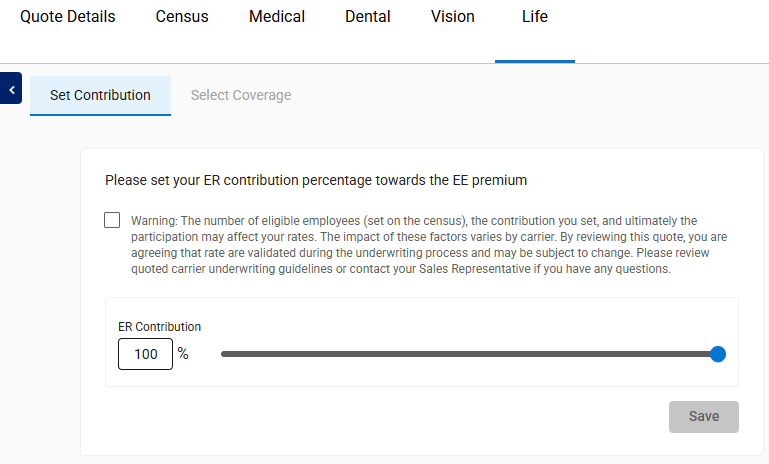
- Adjust the Contribution Percentage by typing a number or moving the slider.
-

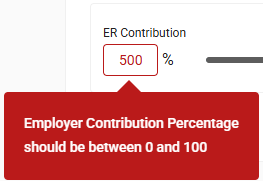
- An error appears if an invalid number is entered.
-
- Click Save to display the Select Coverage tab.
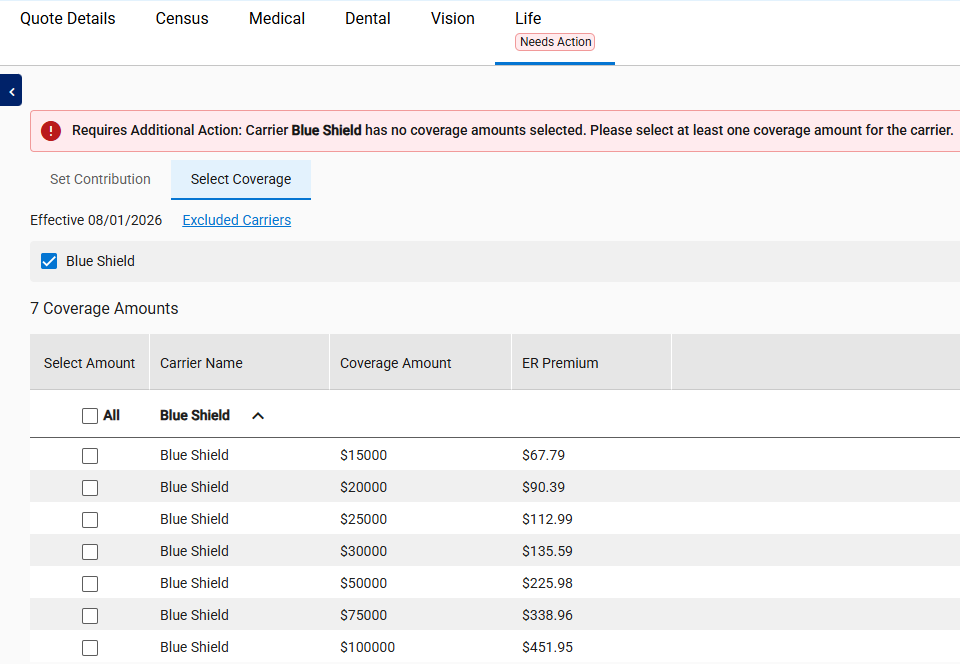
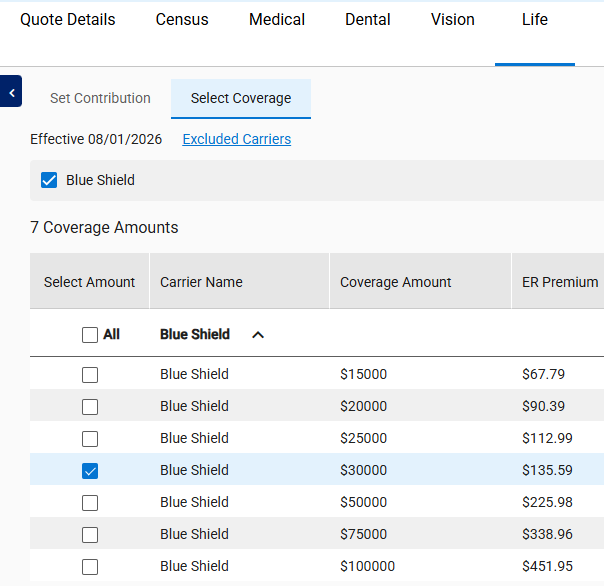
- The Select Coverage tab displays:
- Quote Effective Date
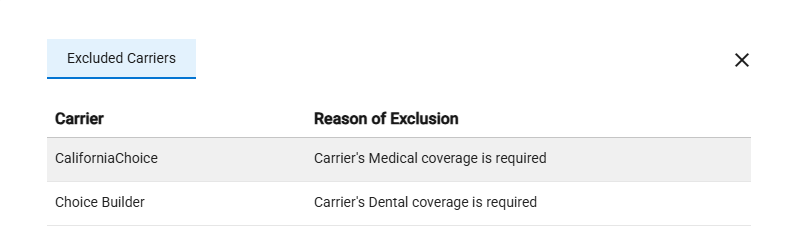
- Excluded Carriers link
- Upon click, the excluded carrier(s) and the reason for exclusion.
- Available Carriers based on quote details, census and carrier rules.
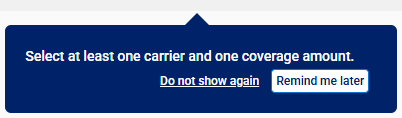
- Help Tip indicating to select a carrier and a coverage amount.
- The tab shows “Needs Action,” and a banner message appears when no coverage amount is selected for the chosen carrier(s).
- The “Needs Action” text and banner are removed when a coverage amount is selected for the chosen carrier(s).