Last updated on May 1, 2026
- Clicking the button shows a list of all columns in the grid.
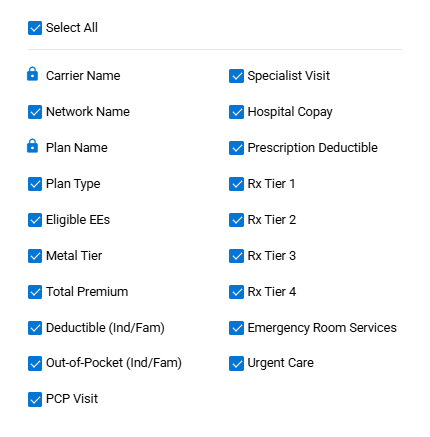
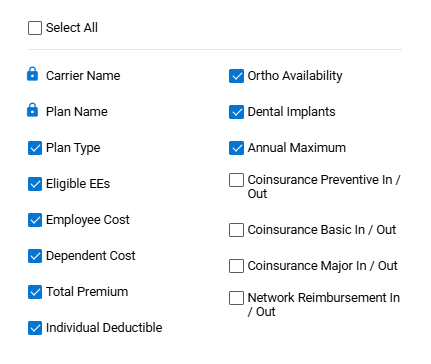
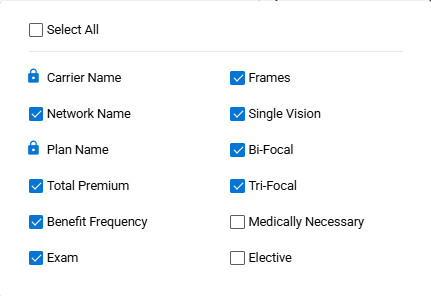
- Different columns are displayed for Medical, Dental, and Vision.
- Medical:
- Dental:
- Vision:
- Note: The lock icon next to a column name shows that the column cannot be deleted.
- Medical:
- Deselect one or more column boxes, so the columns don’t show up in the grid.
- A message is displayed confirming the change.

- Check the ‘Select All’ box to display all available columns.
- When one or more columns are deselected, the ‘Default Column Options’ button appears.
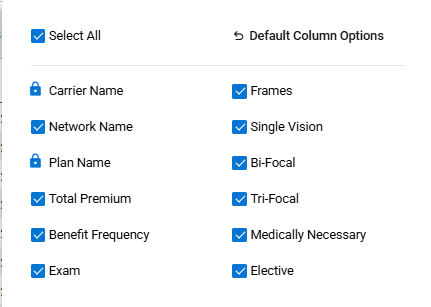
- Click ‘Default Column Options’ to reset the default columns.
- A message is displayed indicating the default columns have been restored.
-