Last updated on May 12, 2026
- There are several ways to access and view the different packages.
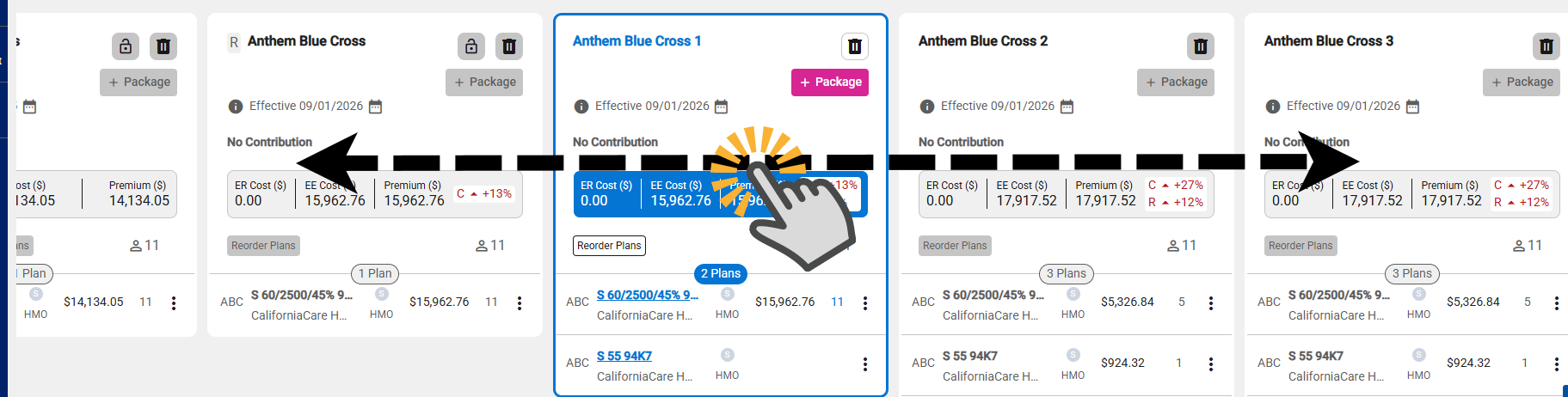
- Drag
- Click and hold the mouse button, then drag the packages to the left or right.
- Package Top Arrows
- Displayed if one or more packages are out of view.
- Use arrow icons to scroll left or right.
- Left arrow is disabled when the first package is visible.
- Right arrow is disabled when the last package is in view.

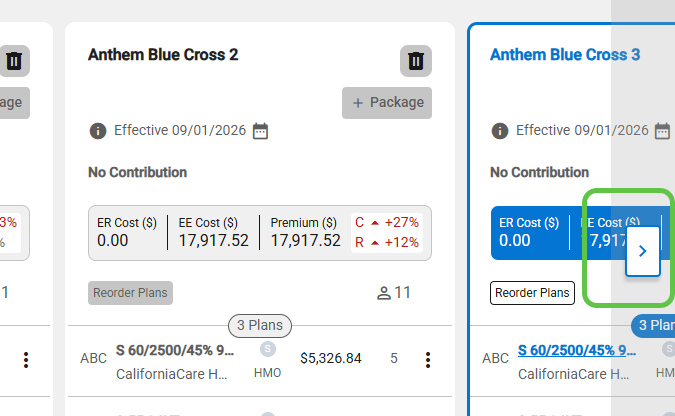
- Package Side Arrows
- Displayed if one or more packages are out of view.
- Displays when hovering mouse over the side (left or right) of the top panel.
- Use arrow icons to scroll left or right.
- Left arrow is hidden when the first package is visible.
- Right arrow is hidden when the last package is in view.
- When you click a package that isn’t fully visible, it will shift into full view.
- Upon the creation of a new package, focus automatically shifts to the new package.