Last updated on May 12, 2026
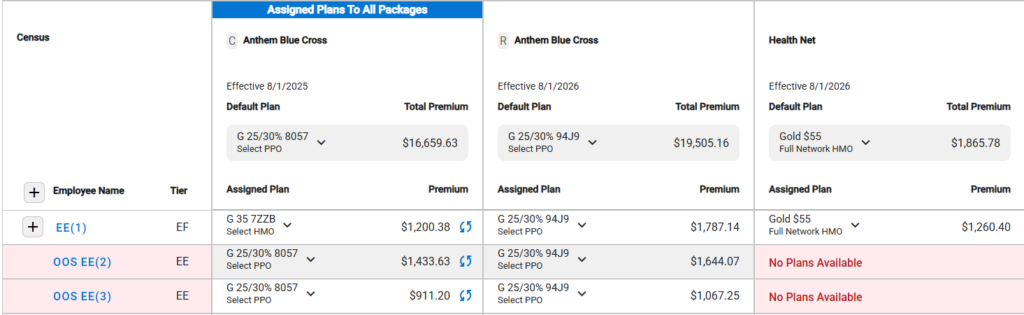
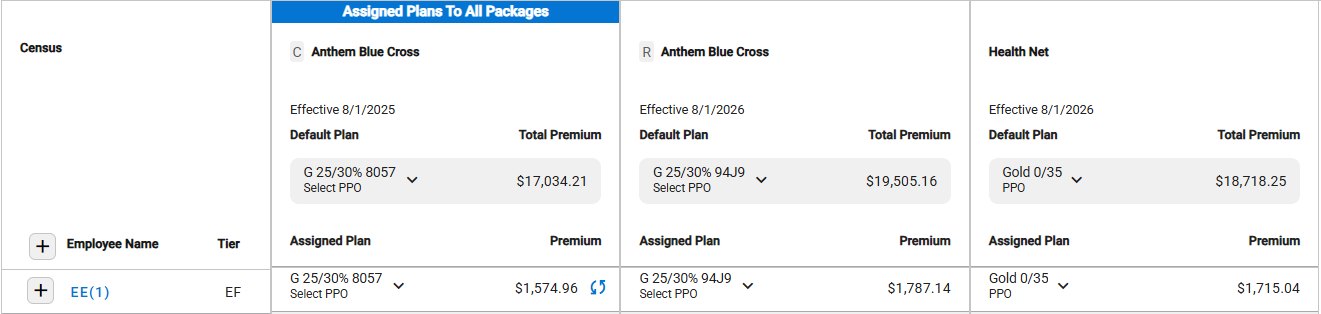
- Each Package column contains the following:
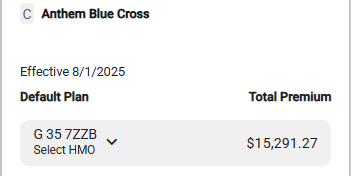
- Package Name
- Package Effective Date
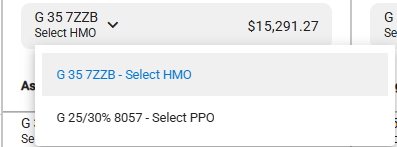
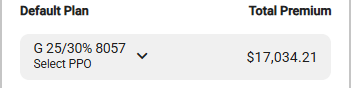
- Default Plan
- Defaults to the first plan in the package.
- All package plans are available.
- When a different default plan is selected, it will be assigned to employees who are eligible for that plan.
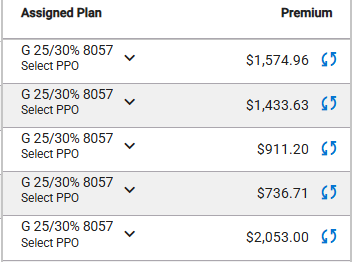
- Original Assigned Plans
- Newly Assigned Plan
- Original Assigned Plans
- Package Total Premium is updated based on the assigned plan.
- Defaults to the first plan in the package.
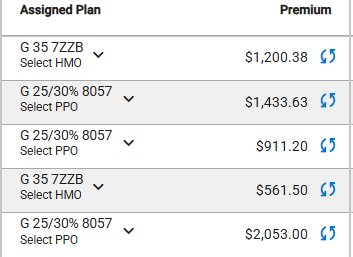
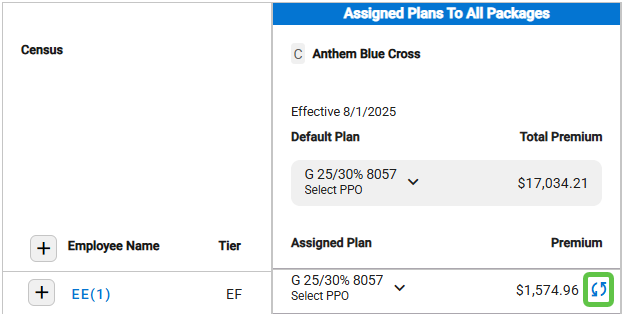
- Assigned Plan and Plan Premium
- Shows the Assigned Plan and the Total Plan Premium across all packages for the employee and dependents when Census details are collapsed.
- Shows the Assigned Plan and the individual Plan Premium for the employee and each dependents when Census details are expanded.
- Shows the Assigned Plan and the Total Plan Premium across all packages for the employee and dependents when Census details are collapsed.
- Add Employee Eligibility Date
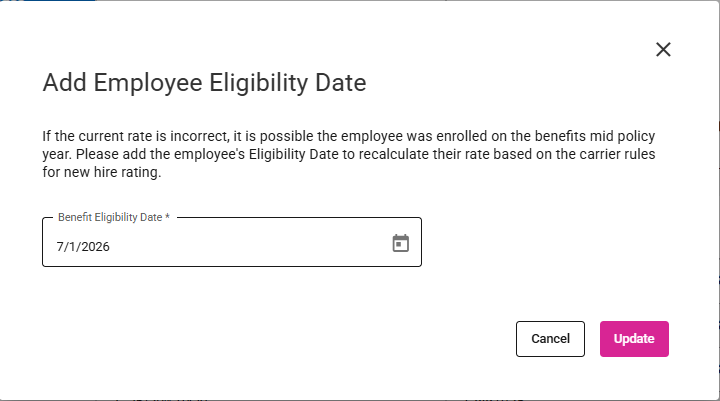
- You can add the Employee Eligibility Date if an employee’s enrollment date is different from the Current Package Effective Date.
- Click the icon beside the employee’s premium to select a different enrollment date.
- Select the appropriate date and click the Update button.
- The employee and/or dependent rate is updated on the Current package based on Plan Maintenance rules.
- Change Plan Assignment Across Packages
- Select a different plan in a package.
- A corresponding plan in the same row for packages to the right will be automatically assigned.
- Examples:
- Original Assignments
- Changing the Current Package plan changes the plan for the packages to the right.
- Changing the Renewal Package plan changes the plan for the last package only. The Current Package plan is not changed
- Original Assignments
- Discard Unsaved Changes/Save Changes
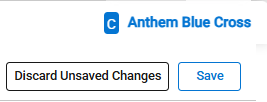
- Click the Save button to save the changes.
- Click the Discard Unsaved Changes to reset all and not save the changes.
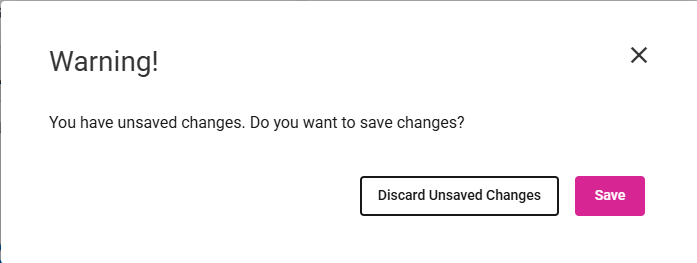
- If changes have not been discarded or saved, a warning message will appear when navigating away from the screen.
- Click Discard Unsaved Changes or Save.
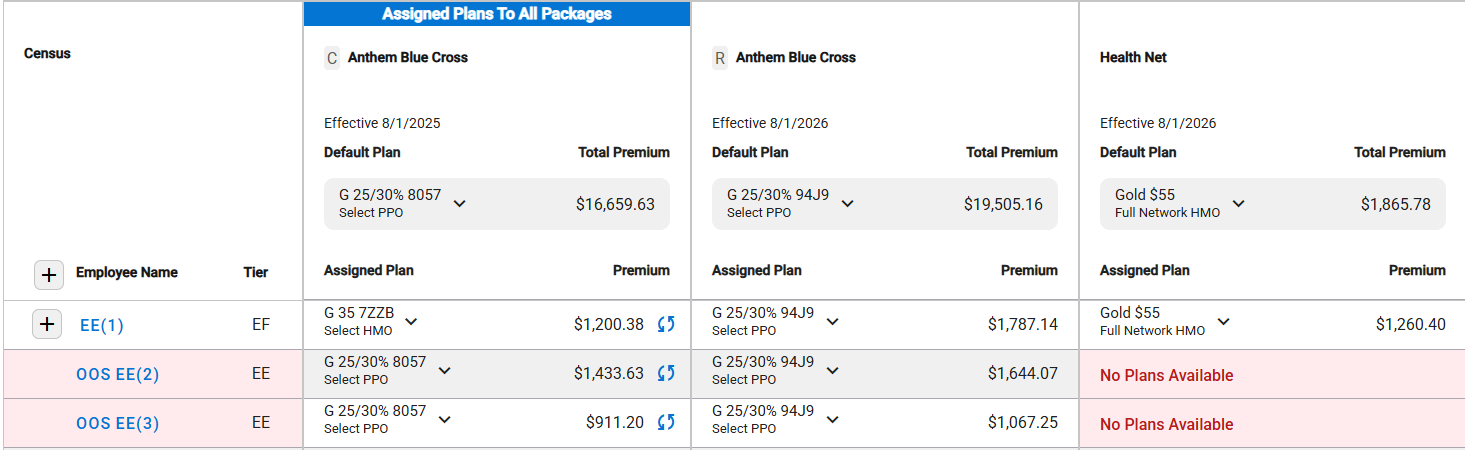
- If a plan is not available for assignment to an employee, the employee and plan row is highlighted.
-