Last updated on May 11, 2026
- Select “Apply different contribution per carrier” to set a unique contribution for each carrier within a wrap package.
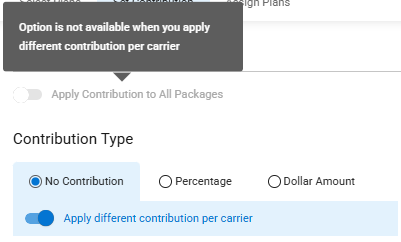
- When “Apply different contribution per carrier” is selected, the “Apply Contribution to All Packages” option becomes unavailable.
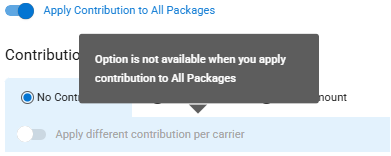
- When “Apply Contribution to All Packages” is selected, the “Apply different contribution per carrier” option becomes unavailable.
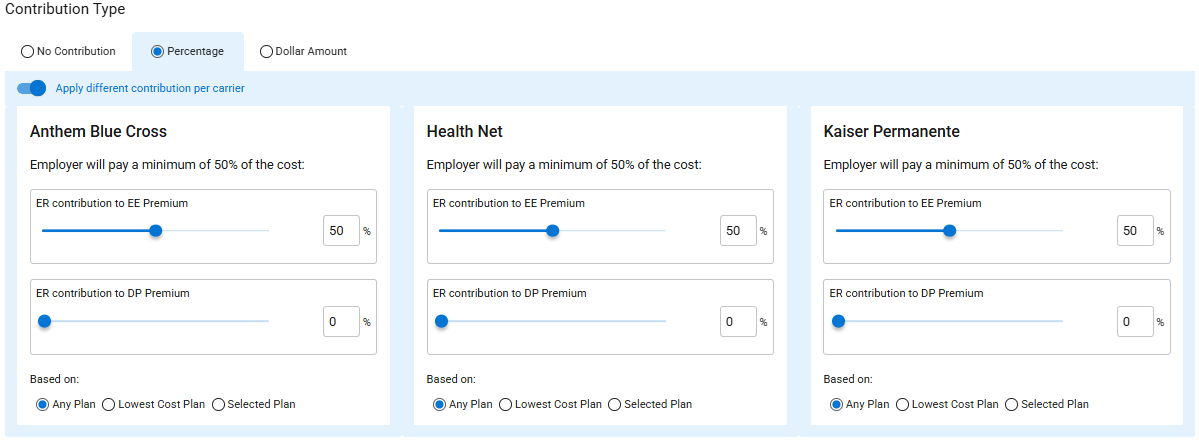
- When the Percentage Contribution Type is selected, the following appears for each carrier.
- Note: The percentage is set to the minimum allowed according to contribution rules for the carrier in Plan Maintenance.
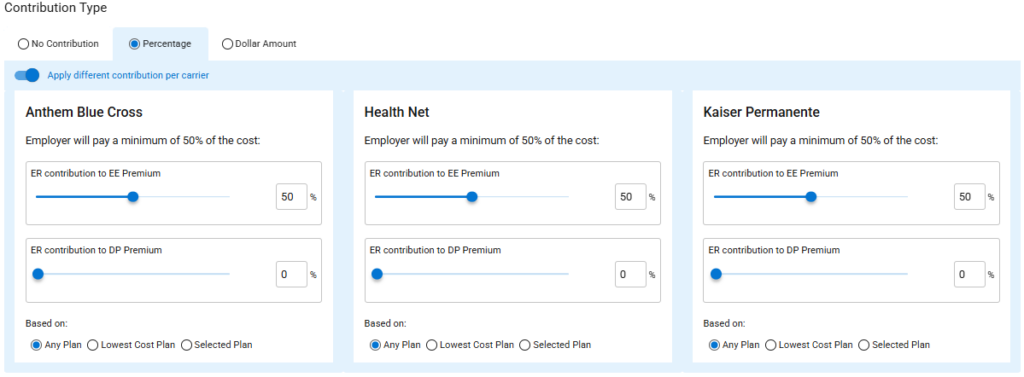
- You can adjust the percentage and change the “based on” value for each carrier.
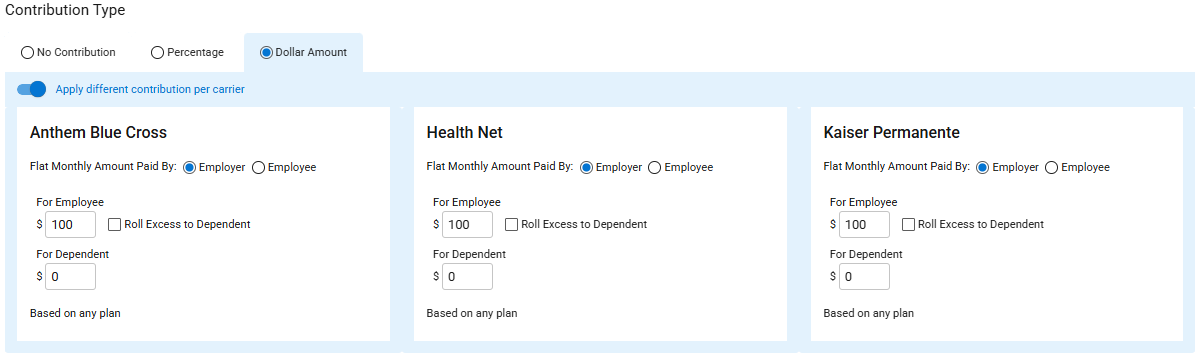
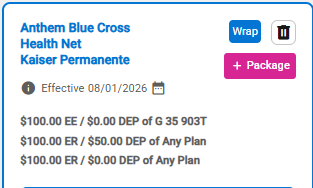
- When the Dollar Amount Contribution Type is chosen, the following appears for each carrier.
- Note: The dollar amount is set to the minimum permitted according to the carrier’s contribution rules in Plan Maintenance.
- When “Flat Monthly Amount Paid By Employer” is chosen, you can adjust the dollar amount for each carrier.
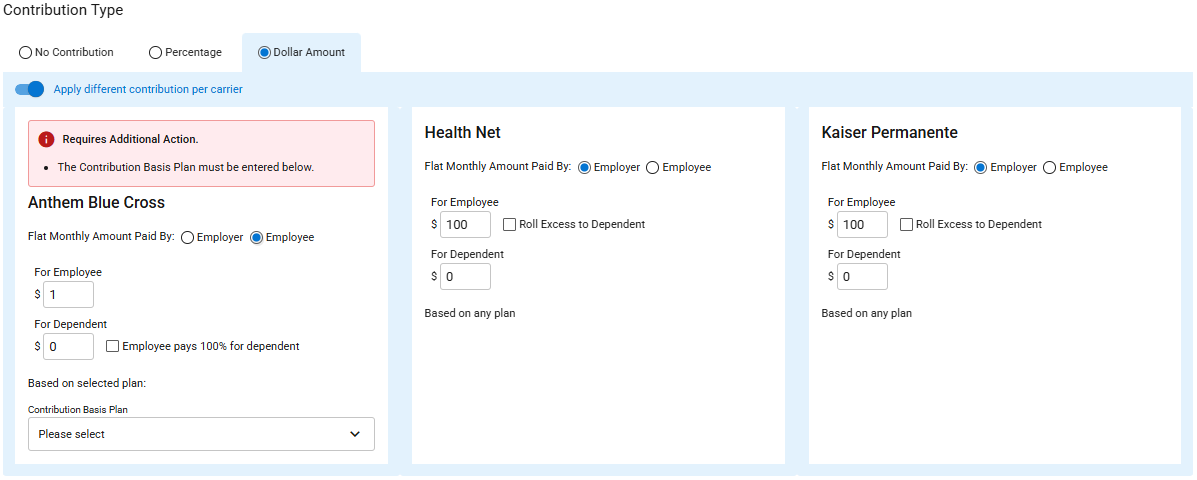
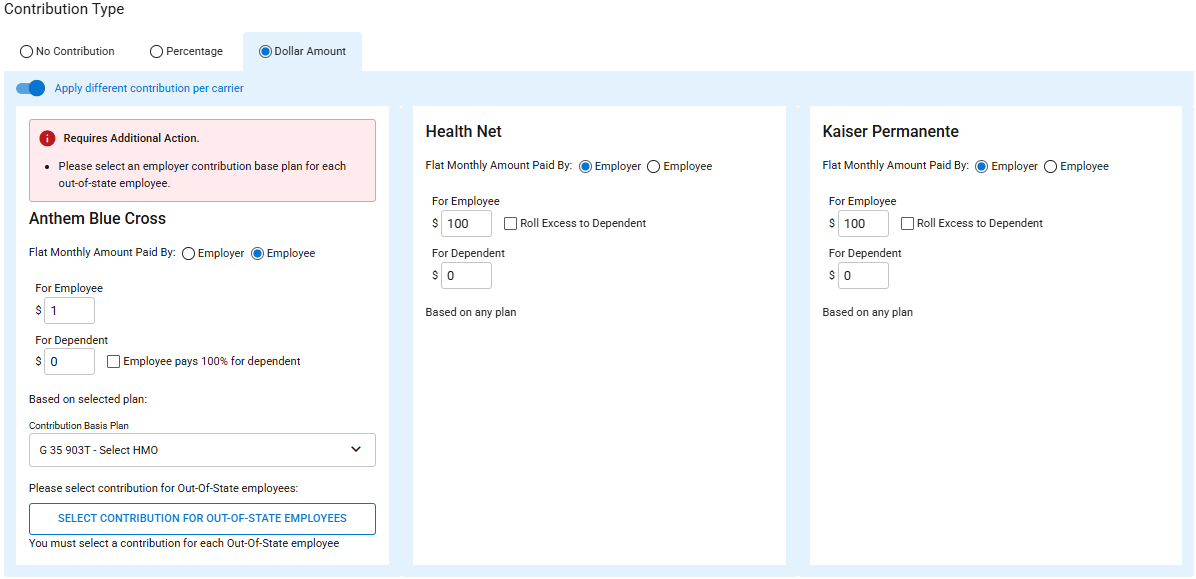
- When “Flat Monthly Amount Paid By Employee” is selected, the following appears for the carrier(s).
- You must select a Contribution-Basis Plan.
- Note: You may need to select a different plan to cover OOS/OOA employees.
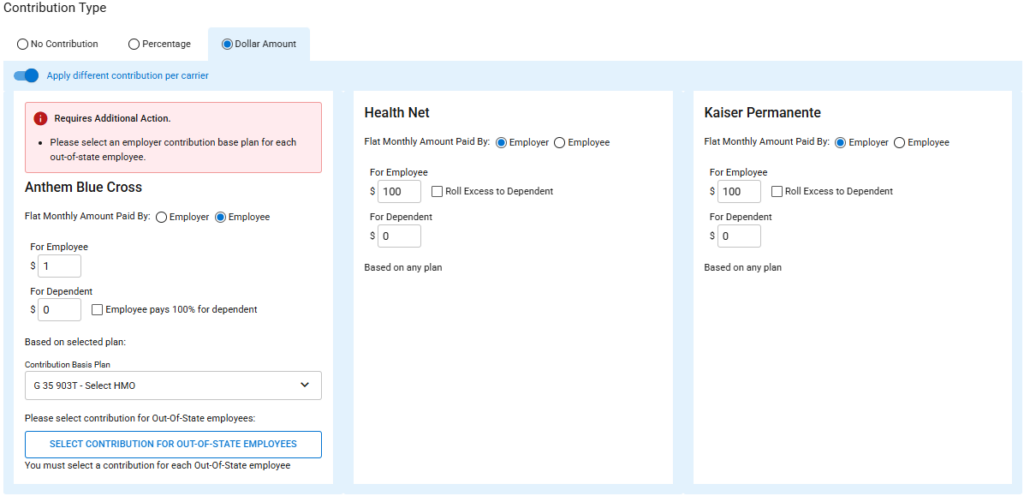
- One carrier’s contribution can be designated “Flat Monthly Amount Paid By Employer,” and the other carrier’s contribution can be designated “Flat Monthly Amount Paid By Employee.”
- Note: All carriers must have the same contribution type (Percentage or Dollar Amount)